Connect Momence to Reservd
Keep running your timetable in Momence. Your classes show on Reservd with the right places left, and every Reservd booking lands on your Momence register. First Momence switches on API V2 for you (you ask in their support chat). After that it takes about five minutes: you copy two codes from Momence into Reservd.
- 1
Connect Stripe on Reservd
Customers pay by card on Reservd when they book, and the money goes straight to your bank. In your Reservd dashboard, open Momence and press Connect Stripe first. Once Stripe says yes, the form to connect Momence appears.
- 2
Check whether API V2 is switched on
Sign in to Momence on a computer as the owner, or with a login that can manage your business settings. Go to Apps & Integrations, then Developer API, or open it directly: momence.com Developer API page. If you only see a Legacy API tab, like the picture, Momence needs to switch on API V2 for you: carry on to step 3. If you can already add an API client there, skip to step 5.

- 3
Ask Momence to switch on API V2
Momence switches API V2 on for each business when asked. Open their support chat with the round purple ? button in the bottom right of your Momence dashboard, and send this (copy it as it is):Hi, please could you switch on API V2 (public API clients) for our account? We want to connect Momence to Reservd so our classes show on Reservd and bookings come through to our Momence register. Thank you!If they ask whether to go ahead, say yes. You can also email support@momence.com with the same words.
- 4
Wait for Momence to say it's on
Their team switches it on behind the scenes, so it may not be instant. When they confirm, open Developer API again (refresh the page) and you'll be able to add an API client. Nothing changes for your customers or your timetable in the meantime.
- 5
Add an API client for Reservd
Add a new API client and call it Reservd, so you know what it's for. If Momence asks for a web address, use https://www.reservd.co.uk/dashboard/momence.
- 6
Copy the client ID and client secret
Momence shows two codes: the client ID and the client secret. Keep that tab open, or copy both somewhere safe. If it only shows the secret once, copy it now. Never send them to anyone, including us.
- 7
Choose the login Reservd will use
Best is a staff login made just for Reservd, such as reservd@yourstudio.co.uk, with access to your timetable and customers. Then you can switch it off on its own whenever you like. Your own login works too.
- 8
Paste them into Reservd
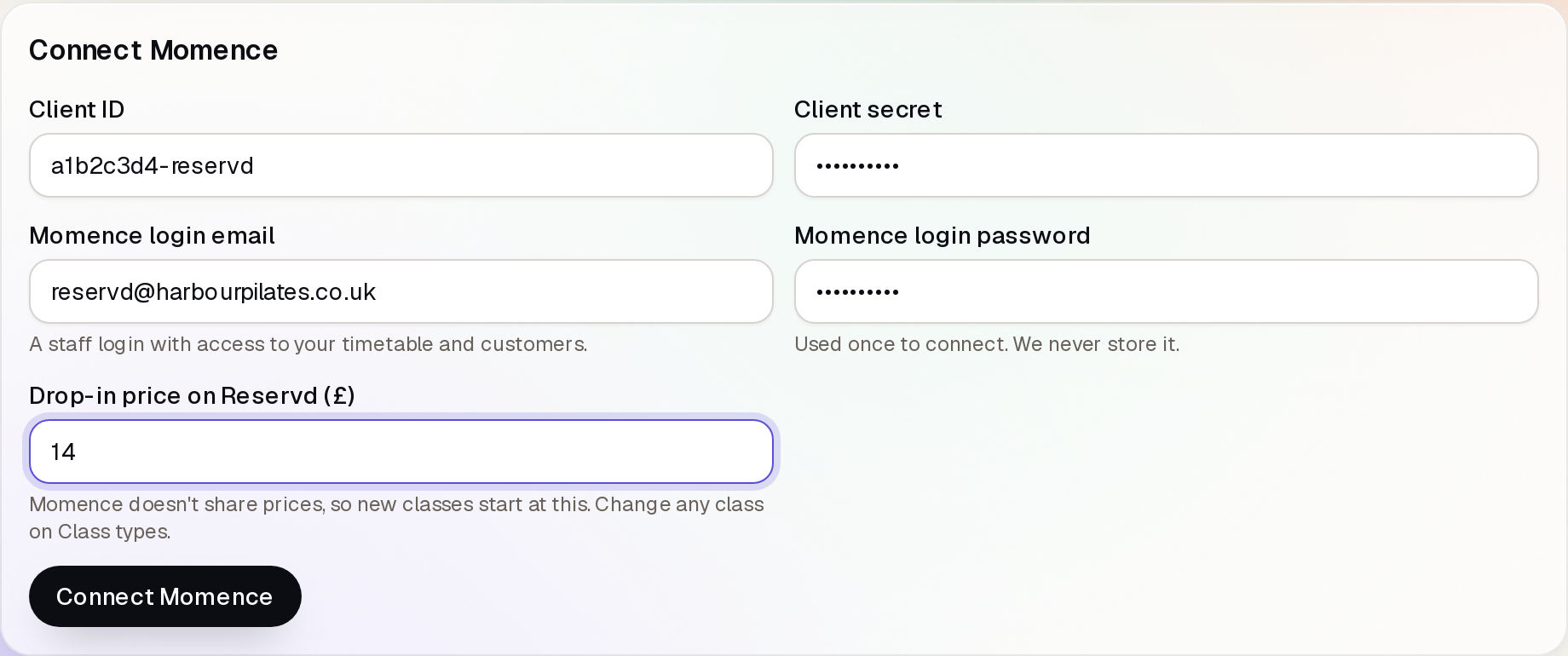
In your Reservd dashboard, open Momence (it's also linked from Import, and from Settings, How customers book). Paste the client ID and client secret, type the Momence login's email and password, and set your drop-in price. Press Connect Momence. We use the password once to sign in and never keep it.
- 9
Check your classes came in
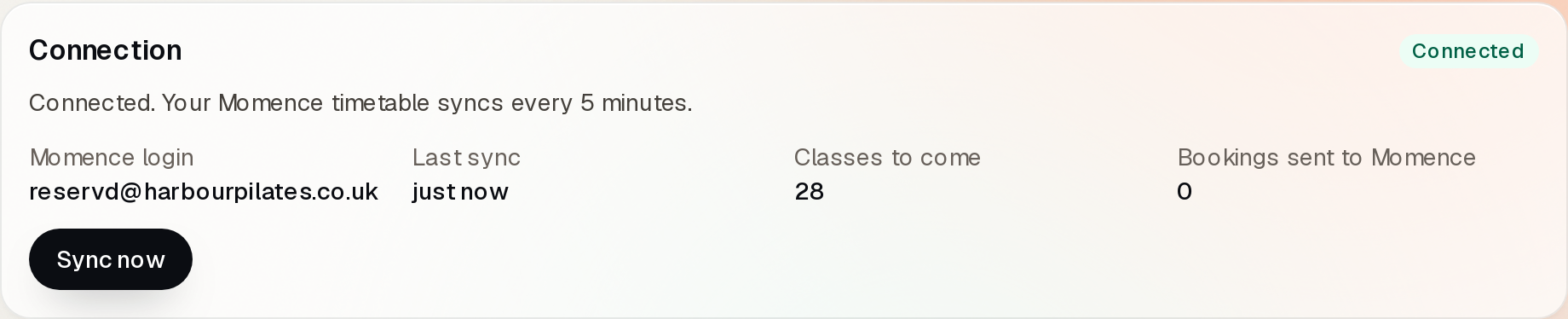
You'll see Momence connected and how many classes came in. Open Timetable to see them, and Class types to set a price for each. From now on they update every 5 minutes, and Reservd bookings land on your Momence register.
If something doesn't work
- It says Momence didn't accept those details
- Check each code was pasted in full with no spaces at either end, and that the email and password sign in to Momence. If you made a new client, try copying the secret again.
- It says Momence asked us to sign in again
- This happens if the login's password changes, the login is switched off, or the API client is deleted. Fill in the form again with the current details.
- A class is missing
- We bring in classes and events for the days ahead you choose (28 to start with). Private sessions, courses and drafts stay in Momence.
- How do I stop it?
- Press Disconnect on the Momence page in Reservd, or delete the Reservd API client in Momence. Anyone already booked keeps their place.
Not on Reservd yet? List your business, then open Momence in your dashboard.
Stuck? Email hello@reservd.co.uk and we'll help. Never send us your password or client secret.